Submit product ideas, vote on existing requests, and track items on the Tealium roadmap through the Ideas Portal in the Resource Center.
Use the Feedback module in the Resource Center to submit product ideas, vote on ideas the product team is considering, and track items on the roadmap.
Submit a product idea
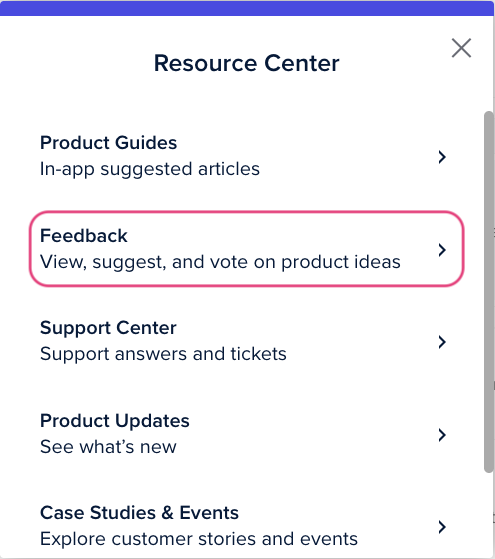
- Log into the Tealium platform.
- Select Resource Center in the header.
- Select Feedback.
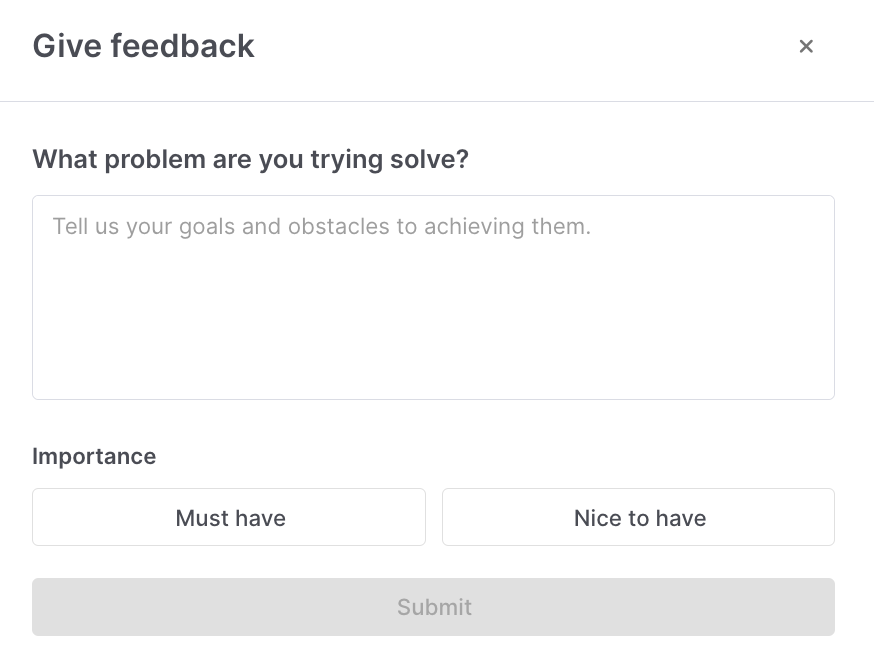
- Select Give Feedback.
- Describe the problem you’re trying to solve and select an importance level: Must have or Nice to have.
- Select Submit.
View and vote on existing ideas
Browse the Ideas Portal to find existing ideas and cast your vote.
- In the Resource Center, select Feedback.
- Browse or search for existing ideas.
- Select an idea to open it.
- Select a status to cast your vote: Must have, Nice to have, or Not interested.
- Optionally add a comment and select Submit.
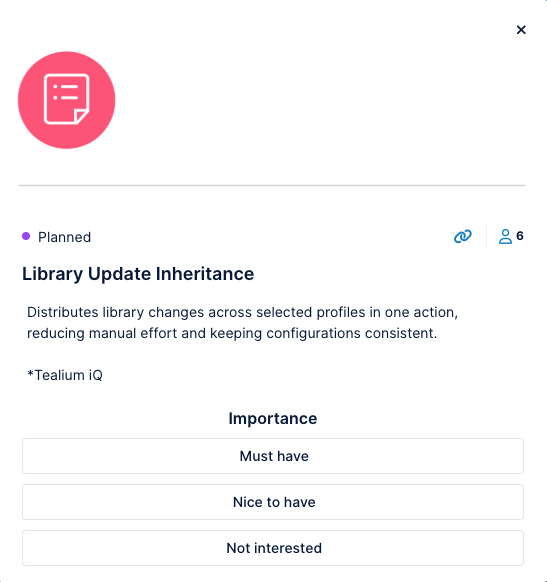
You can change your vote at any time.
Other ways to share feedback
- Feedback Guides: Look for the “i” badge in the breadcrumb of a page. These guides provide additional information and let you submit feedback on specific Tealium features.
- In-app product surveys: Tealium uses in-app surveys to gather targeted feedback on specific products, features, or user experiences.
- NPS surveys: You may receive an in-app Net Promoter Score (NPS) survey to measure overall satisfaction. These gather broader feedback than product surveys.
What happens after you submit
The product team centralizes and reviews all feedback. After review, the team may link your feedback to an idea in the Ideas Portal.
In the portal, you can vote and comment on ideas, helping the product team assess demand for specific solutions. Ideas move through the following statuses:
- Under Review: The product team is reviewing the idea.
- Planned: The product team has committed to the idea and is planning development.
- In Progress: Development is underway.
- Early Access: The feature is available to a limited set of customers.
- Released: The feature or improvement has shipped.
Frequently asked questions
When will the product team review my feedback?
The product team reviews feedback regularly to identify trends and opportunities. To help prioritize your feedback, provide clear and detailed descriptions. If your feedback aligns with an idea the team is considering or developing, the team may reach out for additional insights.
How do I vote for or de-prioritize an idea?
Select a status that best reflects your preference: Must have, Nice to have, or Not interested. You can change your vote at any time.
How soon can I expect my feedback to be implemented?
Timelines vary based on alignment with the product roadmap, feasibility, and strategic priorities. The team reviews feedback regularly and may create new ideas based on common themes.
How will I know if my feedback is being considered?
You receive no automatic notification when the team links your feedback to an idea. Check the Ideas Portal periodically to see if a related idea has been created or updated. If an idea moves to Planned or In Progress, the product team is actively working on it.
How do I escalate urgent feedback?
For technical issues, contact Tealium Support.
This page was last updated: October 14, 2026