Configure Data Layer Enrichment in Tealium iQ
Configure the AudienceStream profile that provides attributes for Data Layer Enrichment in Tealium iQ.
Use the publish configuration settings in Tealium iQ to select the AudienceStream profile that provides visit and visitor attributes to your data layer. For more information about publish configuration, see Publish configuration.
This configuration does not enable or disable server-side data layer enrichment. To control access to the Data Layer Enrichment API and Profile Definition API, see Enable server-side Data Layer Enrichment.
How it works
Data layer enrichment in Tealium iQ links your iQ profile to an AudienceStream profile. The selected AudienceStream profile provides the visit and visitor attributes that Tealium iQ imports into your data layer.
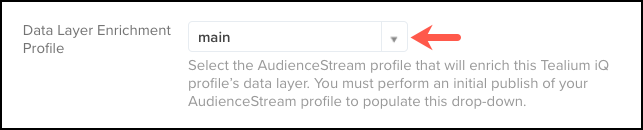
By default, Tealium iQ uses the AudienceStream profile named main. You can select a different profile in the publish configuration settings.
Select an AudienceStream profile
- In the admin menu, click Configure Publish Settings. The Publish Configuration dialog appears.
- On the General Publishing tab, scroll to the bottom of the Implementation section.
- Select an AudienceStream profile from Data Layer Enrichment Profile.
- Click Apply.
- Save and publish your changes to the Prod environment.
This page was last updated: October 14, 2026