About templates
This article provides information about templates and predefined dashboards.
Insights Templates enable you to generate predefined dashboards, such as Total Events Count or Total Visits Count, on demand.
How it works
A template consists of a dataset, an analysis, and a dashboard. A dataset is a collection of data in a database to be displayed in a dashboard. An analysis specifies the database fields and the visuals displayed in the dashboard.
The Template Details screen displays example of each of the visuals for the dashboard and a summary of information for each dataset used in the template.
For example, the following Template Details example shows a visual for the total events count dashboard:
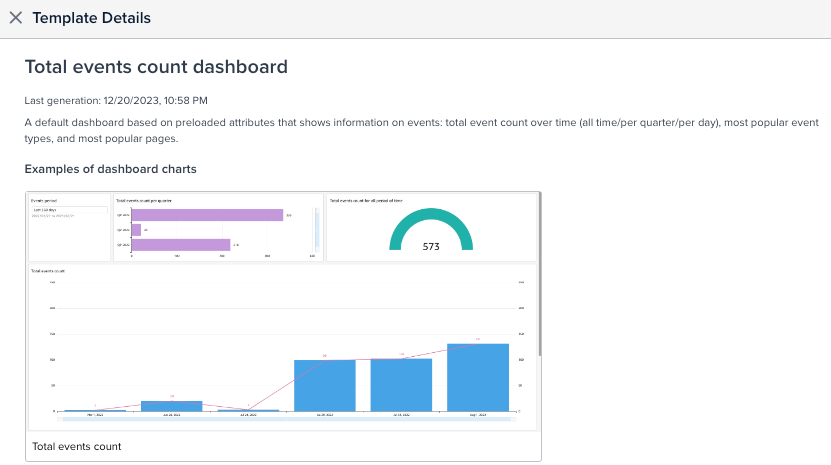
The dataset information is displayed after the visuals, as follows:

Templates for predefined dashboards
The templates for the following predefined dashboards are based on predefined attributes from DataAccess (AudienceDB or EventDB):
- Total Events Count
Displays information about event counts over time, event types, and the most frequently visited pages. - Total Visits Count
Displays information about visits, total events count per visit, visit duration. - Total Visitors Count
Displays information about visitors and visitor activity.
The data displayed in the events count, visits count, and visitors count dashboards is refreshed once a day, at night.
Template status
The templates listed on the Templates screen may have one of the following labels:
- Generated – The dashboard has been generated and can be viewed on the dashboards screen. For example:
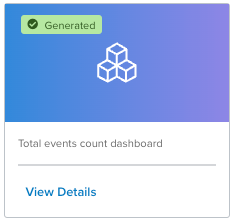
If a template has no label, the dashboard has not been generated.
This page was last updated: January 19, 2026