Event specifications: Data quality
After you define event specifications, Live Events displays the quality of your incoming data.
The color-coded bars in the chart are segmented according to the validation of the event specifications against your data.
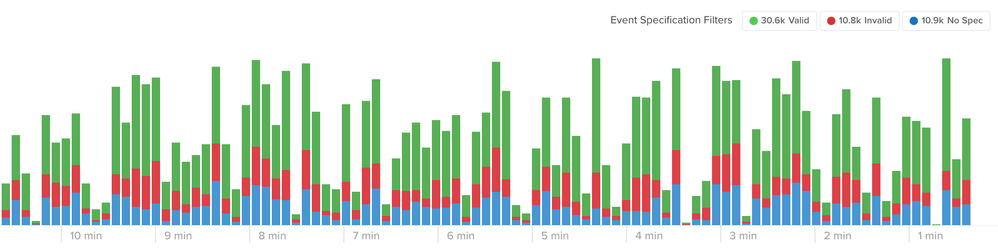
Live Events with event spec validation:
Valid (Green)
Valid events satisfy the requirements of an event specification. The event has a known value for thetealium_eventattribute and contains all the required attributes with the correct data types.Warn (Yellow)
Warn events match an event specification and all required attributes pass validation, but one or more optional attributes are missing or have the wrong data type.Invalid (Red)
Invalid events match an event specification, but have at least one required attribute that is missing, has the wrong data type, or doesn’t match a configured data value rule.No Spec (Blue)
Events marked as No Spec do not have a matching event specification. The event does not have thetealium_eventattribute or the value does not have a corresponding event specification.
Click any of the filters to toggle those values on or off and adjust the display of the chart.
This concludes the basics of getting installed and set up with a data layer. The next tutorial demonstrates how to create actionable event feeds.
This page was last updated: September 2, 2026